
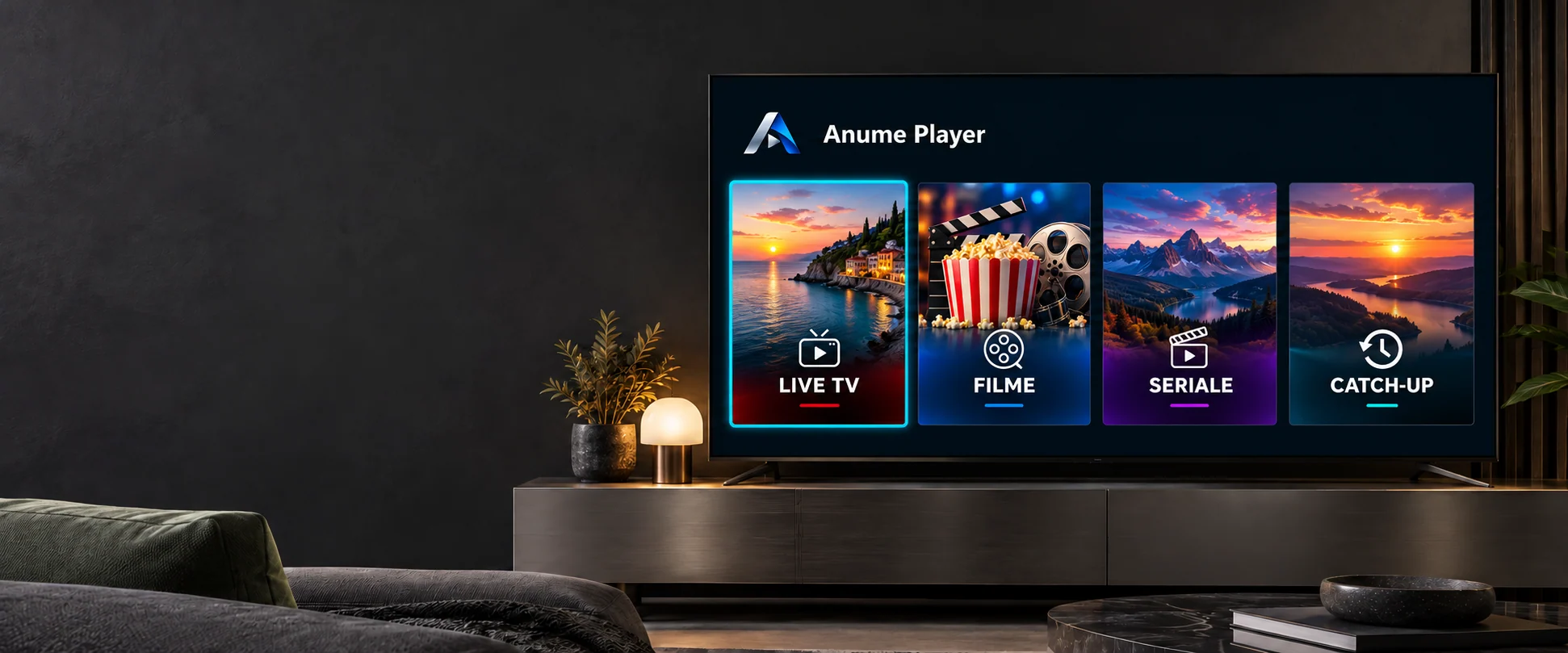
A MEDIA PLAYER. MADE FOR TV.
Anume Player
Your playlist. Your TV.
Everything, simpler.
Live TV, movies and series in an interface designed for your remote. You bring the playlist. Anume Player brings the experience.
Downloader code 5828979Media player. No channels or subscriptions included.
INSIDE THE APP
One OK away from what you want.
Channels, guide and picture. In one place.
Stay in the list while a channel plays in the mini player. Choose a category, check the guide and switch to fullscreen when you want.
Less searching. More watching.
Posters, categories and on-demand search. Save favourites and resume a movie from where you left it.
From the first episode to the next.
Browse seasons and episodes, keep your progress and return to the story without finding your place again.
Demonstration previews; appearance and features may vary by platform. They are not a content offer. Image credits
MORE THAN PLAYBACK
Features you use. Every day.
From the first channel to the last episode. Without cluttering your menu with things you do not need.
Live TV
- Mini player and fullscreen
- Preview a channel in the list, select it again for fullscreen and return without stopping playback.
- TV guide / EPG
- Current and upcoming shows with programme progress, when your source provides EPG data.
- Catch-up / archive
- Choose a past programme from the channel archive. Requires archive support and programme data from your provider.
- Remote, not mouse
- Arrow-key navigation, channel switching and returning to the previous channel through player controls.
Your library
- Movies, seasons and episodes
- Catalogues with posters, categories and details, depending on information supplied by your playlist.
- Pick up where you left off
- Saved movie and episode progress, playback resume and a next-episode prompt.
- Favourites and recents
- Keep favourite channels and titles close, and quickly find recently watched content.
- Search and sorting
- Search when you need to. Sort the catalogue alphabetically or by the latest additions.
Playback your way
- Auto, Exo or VLC
- In the Android / Fire OS edition, choose an engine per playlist. Auto mode allows switching to the alternative engine.
- Audio and subtitles
- Choose available stream tracks and preferred audio and subtitle languages.
- Adjustable synchronisation
- Adjust audio and subtitle delays. Availability depends on the engine and stream.
- Your source quality
- HD and up to 4K on compatible devices. Resolution and smoothness depend on the source, codec, network and TV.
Playlists and control
- Multiple playlists, one menu
- Add playlists using the MAC displayed in the app and select them by name on your TV.
- Xtream, M3U, M3U8 and TS
- Add Xtream details, a playlist URL or a direct stream. A TS link is not a full catalogue.
- PIN and protected categories
- Restrict access to selected groups with a PIN and keep control of your library.
- Refresh and sync
- Refresh playlists and catalogue cache in the app. Favourites and progress can sync through the service associated with your device.
Features vary between editions. EPG, posters, audio tracks and catch-up depend on your source. Exo/VLC are Android / Fire OS edition options.
YOUR REMOTE IS ENOUGH
Get comfortable. The rest is within reach.
See what is playing without leaving the list. Enter fullscreen and return naturally to your channels, without extra menus.
- OK
- Preview the channelSelect it again for fullscreen.
- Switch channelsDirectly from fullscreen Live TV playback.
- Back to the listThe channel keeps playing in the preview.
START WITH YOUR PLAYLIST
On your TV, in a few steps.
Install the player, add your playlist by MAC and choose what to watch.
- 01
Open Downloader on your device
On Fire TV with Fire OS, find Downloader in the Amazon Appstore. The code opens the APK download link.
- 02
Enter code 5828979 and install
Select Go and follow the steps on your device. Open Anume Player after installation.
- 03
Add a playlist using the MAC from the app
Open the playlist form on this site and enter your details. On your TV, refresh and select the playlist.
Open playlist form
YOUR DOWNLOAD CODE
5828979For compatible Android / Fire OS devices. This is not a Vega OS or VIDAA package.
CHOOSE THE RIGHT EDITION
One name. Different platforms.
Check your device operating system. The TV brand alone does not determine which package you can install.
Fire TV / Fire OS
Fire OS devices compatible with the APK. Store availability depends on model and country.
Android TV / Google TV
APK for compatible ARM devices. Check the Android version and device architecture.
Fire TV / Vega OS
Requires a dedicated edition, distributed separately through the Amazon Appstore. Does not install Android APKs.
VIDAA
Edition in preparation. Developer access has been requested; the app is not yet published in the VIDAA Store.
RESELLER / WHITE LABEL / API
Your logo. Your colour. Your portal.
Customise the in-app experience and manage customer playlists, manually or from your own system. One app, your brand identity.
- 01
Create your account
Choose your username, password, contact email and brand name.
- 02
Manual approval
The administrator reviews and activates the account.
- 03
Your own branding
Upload your logo and choose an accent colour.
- 04
Playlists by MAC or API
Add playlists from the portal or your integration.
In-app identity
Brand name, a PNG / JPEG / WebP logo up to 1 MB and 2048 × 2048 px, or an HTTPS URL. Your choice of accent colour.
The sources you use
Xtream Codes with server, username and password; M3U / M3U8 URL; direct TS stream. Up to 10 playlists per device, selectable on TV.
Control over your playlists
Add, select and delete playlists assigned to your account. See your activity and manage your API key from the same portal.
Branding appears inside the app for the selected reseller-owned playlist when it syncs. The launcher name and icon remain Anume Player. Use the reseller portal or API for correct ownership. Import uses a URL, not a local M3U file upload; a TS URL is a stream, not a full catalogue.
INTEGRATE ON YOUR SERVER
From your system, straight to TV.
After account approval, generate a key in the reseller portal. API calls use HTTPS and Bearer authentication. The device receives the playlist when it syncs.
GETYour account playlists and latest eventsPOSTAdd, select or delete a playlist
The key is shown once; rotate or revoke it from the portal. Keep it on your server, not in public URLs, JavaScript or the TV app. GET responses do not expose playlist sources or passwords.
Full documentation and all formatscurl 'https://anumeplayer.ro/api/reseller/v1/' \
-H "Authorization: Bearer $ANUME_API_KEY" \
-H 'Content-Type: application/json' \
--data '{
"action": "add",
"device_id": "02:00:00:00:00:01",
"profile_name": "Lista mea",
"mode": "m3u",
"m3u_url": "https://media.example/list.m3u",
"select": true
}'Sample values. This example sends no browser requests. Set ANUME_API_KEY on your server.
How do I create a reseller account?
Fill in your username, contact email, password and brand name. The administrator manually approves the request; until then the account and API remain inactive. Email does not automatically activate the account.
Can I use my own logo and colour?
Yes. After activation, set your brand name, logo and accent colour in the reseller portal. They apply inside the app to playlists assigned to your account when they sync. The launcher icon and app name do not change.
How do I use the reseller API?
Create your key in the portal after account approval. Use it on your server as a Bearer token to add, select or delete your own playlists by MAC. The key is shown once and can be rotated or revoked.
Does the app include channels or a subscription?
No. Anume Player is a media player. You need your own playlist and permission to access its content. Images on this page are demonstrations.
How do I add a playlist to my TV?
Open the app and find the Anume Player MAC. Open Add playlist on this website, enter that MAC, a name and the source. Return to your TV and refresh playlists.
What is the Anume Player MAC?
It is the identifier displayed by the app for playlist association, not necessarily the hardware network MAC. After moving to another device or resetting it, check the displayed identifier before adding a playlist.
Can I use an M3U playlist or a TS link?
Yes. The portal accepts Xtream details and HTTP or HTTPS URLs for M3U, M3U8 and TS. A simple playlist does not automatically include posters, seasons, EPG or catch-up; your source must provide those.
Why is EPG or catch-up missing?
These features depend on your provider. Catch-up requires channel archive support, an available selected time range and correct programme data.
How do I choose Exo or VLC?
In the Android / Fire OS edition, open player options and select Auto, Exo only or VLC only for the current playlist. Other platforms use their own available playback options.
How is the app updated?
The Amazon Appstore edition updates through the store. The APK edition with its own updater can check signed packages in the app. Updating an existing installation does not require uninstalling it.
Does the same APK work on every TV?
No. The APK is for compatible Android / Fire OS devices. Vega OS needs a separate package. The VIDAA edition is in preparation and is not yet published in the VIDAA Store.
ANUME PLAYER