
Anume Player for Windows
Windows media player for your own M3U and Xtream playlists. Live TV, TV guide, movies and series depend on your source.
Anume Player is a media player only. It does not include TV channels, playlists, movies, series, subscriptions or other content. Add only sources you are authorised to use.
WINDOWS · X64
Download Anume Player 2.5.4
Test release · unsigned installer Windows may show a warning. Use this package only for testing and verify the file checksum.
- System
- Windows 10 (build 19041+) or Windows 11
- Architecture
- x64 · not ARM64 or 32-bit
Windows · 2.5.4 in testing
Native PC media player
Navigate with keyboard and mouse, see quality variants separately, and use the mini-player or fullscreen. Add multiple playlists and select them by name.
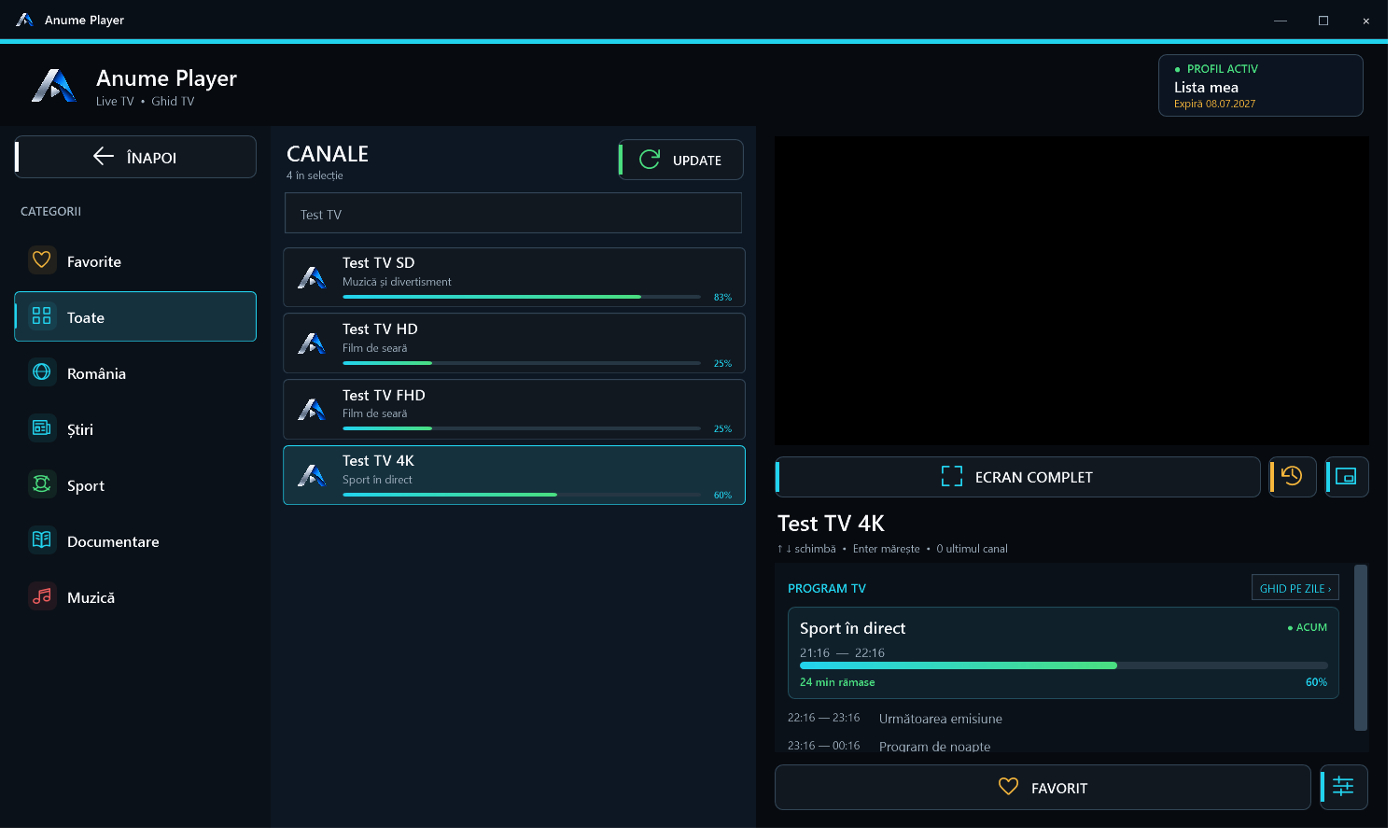
Windows features
- Live TV
- Categories, search, mini-player, fullscreen and separate SD, HD, FHD or 4K entries. TV guide, programme progress and catch-up depend on the source.
- Movies and series
- Catalogues, seasons, episodes, favourites and recents. Per-title or per-episode progress, watched markers and optional next-episode playback.
- Playback and accessibility
- Built-in VLC, source-dependent audio and subtitles, preferred language, shortcuts and adjustable text size.
- Your playlists
- Xtream profiles and M3U playlists. Use the player identifier to pair a playlist in the portal; VPN pairing is separate.
ANUME VPN · WIREGUARD
A clearer connection screen
The new screen shows the location and each step: Windows approval, startup and tunnel verification. WireGuard can be installed separately if it is missing; the player also works without a VPN.
Explore ANUME VPN
What changed
- 2.5.4The ANUME VPN screen now distinguishes Windows approval, connecting and tunnel verification. It shows the selected location and confirms the connection only after verification.
- 2.5.3Connect and disconnect WireGuard in ANUME VPN without manually saving or importing a profile. Windows may ask for approval to start the service.
- 2.5.2SD, HD, FHD and 4K remain separate. The test installer can run the official WireGuard setup if you select VPN and WireGuard is missing.
- 2.5.1Native VPN interface with separate pairing, locations and settings screens. The test upgrade preserves device identity and preferences.
Windows edition questions
How do I add an M3U or Xtream playlist?
Use the identifier shown in Anume Player on the upload form, then refresh the playlist in the app. Add playlist
Do I need a VPN for playback?
No. ANUME VPN is optional and has a separate pairing code. It does not supply playlists or channels.
Can I install this file on my phone or Fire TV?
No. The .exe file is for Windows x64. Choose the compatible edition for your TV or phone. Other editions