
Guides

Setting up Anume Player on Android TV & Google TV (Sony, TCL, Xiaomi, Shield)

Sony Bravia, TCL and Philips TVs running Android TV or Google TV, along with Xiaomi Mi Box, Google TV Streamer and Nvidia Shield boxes, run our official TV edition listed in Google Play under package ro.novaplay.tv.

Anume Player is a media player only. It does not provide, sell or include TV channels, channel playlists, movies, series or content subscriptions. Add your own playlist or source that you are authorised to access.

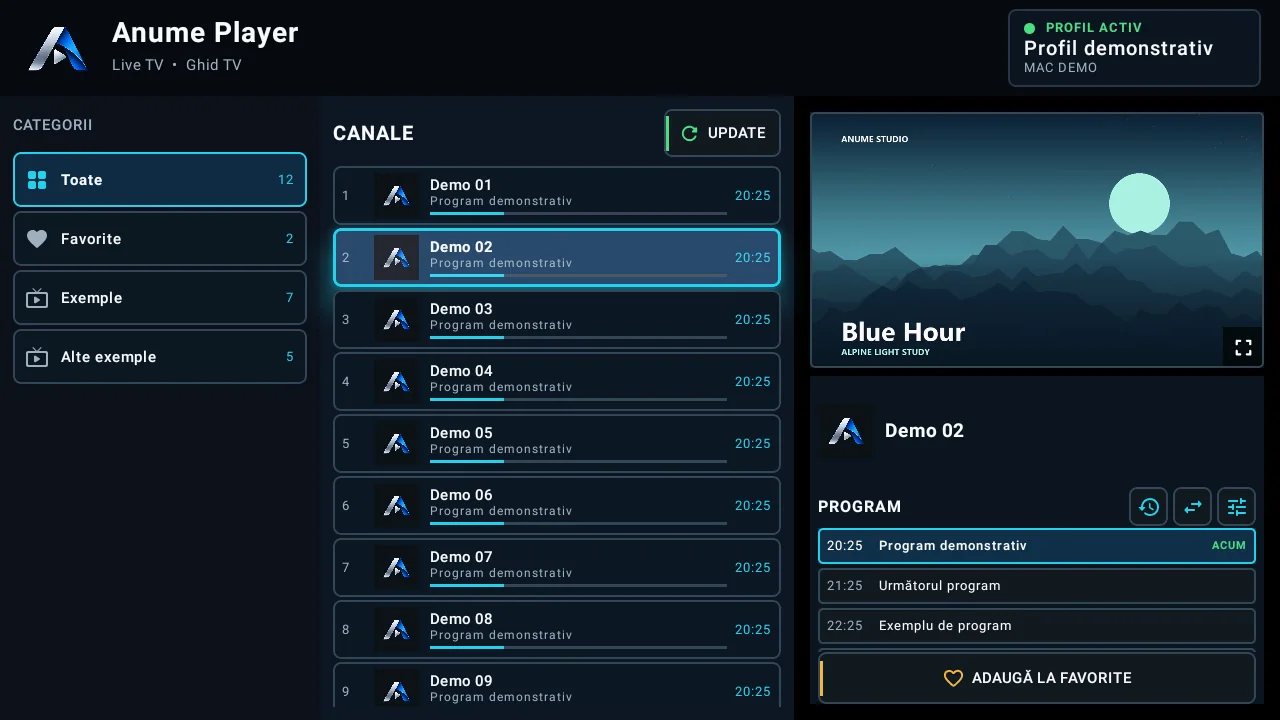
Illustrative Live TV interface in Anume Player for Android TV and Google TV
Illustrative interface; content and features depend on the edition and your source.

Installing from Google Play or the official TV APK

Open Google Play Store on your TV (or use a browser on your computer to push the install directly to your Google-linked TV). Search for Anume Player and install.

If a device lacks Google Play access, install our signed official TV APK from anumeplayer.ro/descarcare/ or via Downloader code 7616005.

When to use ExoPlayer vs switching to VLC

By default, Anume Player uses ExoPlayer for fast channel zapping and low memory usage on TV chipsets. However, if a movie stream with DTS/AC3 audio lacks sound or an external subtitle track needs extra codec support, switch the playback engine to VLC in player settings.
Next steps

Android TV & Google TV guideLive TV, EPG & VOD featuresDownload page